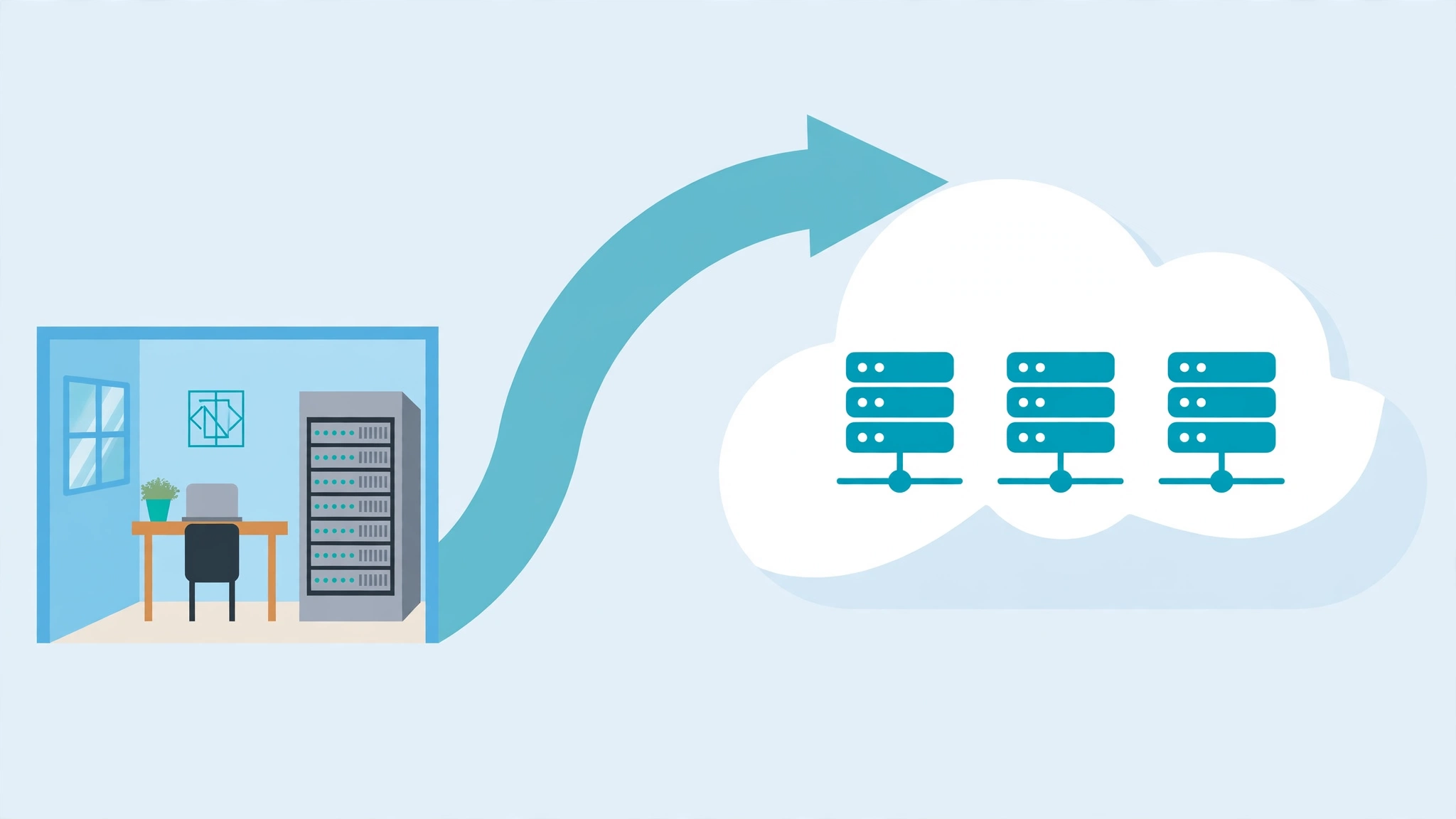
Cloud migration means moving your company’s digital work — its files, email, business software, and the servers that run them — off computers you own and maintain in your own office, and onto rented computers in large professional data centers that you reach over the internet. You trade hardware you have to babysit for a service you simply pay for every month.
That is the whole idea in one paragraph. But if you are the manager being asked to approve the move, the budget, or the timeline, you need a little more than the idea. You need to know why companies do it, what it costs, what can go wrong, and what to ask before you sign anything. This guide covers exactly that — no jargon, no engineering degree required.
What is cloud migration in simple terms for non-technical managers?
Think of it as moving offices — except the “office” being moved is where your company’s data lives.
Right now, many small and mid-size companies keep their systems on a physical server sitting in a closet, a back room, or a local data center they pay for. Someone has to keep that machine cool, updated, backed up, and replaced every few years. Cloud migration moves all of that onto computers owned and run by companies like Amazon, Microsoft, or Google — in massive facilities with backup power, security teams, and engineers on duty around the clock.
Your staff will not notice much day to day. They still open the same email, the same files, the same business apps — everything just runs through the internet instead of through the box in the back room. The big change is behind the scenes: you no longer own the machines, and you no longer maintain them.
Why do companies actually move to the cloud?
The marketing says “digital transformation.” The real reasons are more down to earth:
Money moves from big purchases to monthly bills. A server that costs $10,000 up front, plus maintenance, plus replacement every four or five years, becomes a predictable monthly subscription. For budgeting, that shift from capital expense to operating expense is often the deciding factor.
Growth gets easier. If your business grows, you can add computing capacity in minutes instead of ordering hardware and waiting weeks. If it shrinks, you scale back and stop paying. You pay for what you use.
Reliability improves. Professional data centers have redundant power, multiple internet connections, and staff monitoring things 24/7. A small office server has none of that — one failed hard drive on a Friday afternoon is a crisis.
People can work from anywhere. Cloud-hosted systems are reachable from any internet connection, which matters enormously for remote and hybrid teams.
What are the three ways a migration happens?
Any cloud migration falls into one of three approaches. Know which one your IT team or vendor is proposing, because the cost difference is enormous:
1. Lift and shift. Take your existing software exactly as it is and run it on cloud servers. This is like moving your furniture to a new apartment unchanged — fast, low risk, but you do not get the full benefit of the new place. Many first migrations start here.
2. Move with upgrades. Move your systems but swap out some parts for better cloud versions — for example, replacing your self-managed database with the cloud provider’s managed database service. Like moving and buying a better sofa for the new living room. This is the sweet spot for most small businesses.
3. Rebuild. Redesign your applications from scratch to take full advantage of the cloud. The most expensive option, and the biggest payoff — but overkill for most small companies. Save this for software you are already planning to rewrite.
If someone hands you a proposal, ask: “Which of these three are we doing, and why?” If they cannot answer plainly, that is a red flag.
What does cloud migration actually cost?
This is the question every manager asks, and the honest answer is: it depends on what you are moving — but here is a concrete example to anchor your expectations.
A worked mini-example. Imagine a 40-person company running one aging server that cost $9,000 three years ago, plus roughly $350 a month in maintenance, electricity, and backup costs. Migrating email, files, and two business applications to the cloud with a consultant’s help might cost $8,000–$15,000 as a one-time project. After that, the ongoing cloud bill might run $250–$600 a month depending on how much computing power those applications need.
The one-time project cost is where most of the budget goes. The monthly bill replaces — but does not always reduce — what you were already spending on hardware and maintenance. The real savings usually come later: no more $10,000 server refreshes, and the ability to scale down services you barely use.
Three cost traps to watch for:
- Data-transfer fees. Moving data into the cloud is usually free. Pulling large amounts out can cost real money. Ask your vendor to estimate this.
- Paying for idle capacity. A lifted-and-shifted server runs 24/7 even when nobody uses it at 2 a.m. Right-sizing after migration is where easy savings hide.
- Licenses you forgot. Some software licenses do not transfer to the cloud, or cost more there. Inventory them before you sign.
What can go wrong?
Nothing about cloud migration is magic, and the failure stories usually come from the same handful of causes:
Downtime during the move. Something breaks mid-migration and staff cannot work for hours. The fix is boring but effective: migrate in stages and keep the old system running until the new one is proven. Never switch everything over on a Friday.
Surprise bills. A misconfigured service runs up thousands in a weekend. Set billing alerts from day one and put a monthly budget cap in place before anything goes live.
Security set up in a rush. The cloud is not insecure — but a rushed migration can leave access controls sloppy. Insist on multi-factor authentication for every account and review who has access to what before launch.
Migrating the wrong way. Lifting and shifting an inefficient old system onto the cloud just gives you the same inefficiency at cloud prices. The approach matters more than the provider.
How long does a typical migration take?
For a small business: moving email and files can take two to four weeks. Business applications add another month or two. Most small-company migrations finish within one to three months if the plan is focused. If someone proposes a six-month timeline for a company your size, the plan is probably too complicated — ask what is taking so long.
What should you ask before approving the move?
Five questions. If you get clear answers to all five, you can sign with confidence:
- Which of the three migration approaches are we taking, and why? (Guards against over-engineering.)
- What is the total first-year cost — the one-time project cost AND the monthly bill? (Forces the full picture, not just the monthly teaser rate.)
- What is the rollback plan? If the migration goes badly, how do we go back — and how fast?
- How is our data backed up, and who can access it? Get specifics, not “it’s in the cloud, it’s fine.”
- What changes for my staff day to day? Any training needed, any logins changing, any downtime windows scheduled.
Frequently asked questions
Do I still need IT staff after migrating to the cloud?
Yes — but their work changes. Instead of babysitting hardware, they manage user accounts, security, backups, and the monthly bill. Most small companies find they need less IT time, not zero. A part-time IT person or a managed service provider usually covers it.
Is my data safe in the cloud?
Generally safer than on a server in your office. Major cloud providers employ security teams and infrastructure that no small company could afford on its own. Your biggest risk is not the data center — it is weak passwords and sloppy access control on your side. Enforce multi-factor authentication everywhere.
Will cloud migration save my company money?
Sometimes, but not automatically. Companies save when they avoid big hardware refresh cycles and when they stop paying for capacity they do not use. Companies overspend when they migrate inefficient systems unchanged and never review the bill. Treat the first year as an investment, then audit the costs quarterly.
Can we go back if the cloud does not work out?
Yes, but plan the exit before you enter. Keep local backups of your data, avoid file formats that only work on one provider, and make sure your contract does not lock you in. A migration with no exit plan is a trap, not a strategy.
The bottom line
What is cloud migration in simple terms for non-technical managers? It is renting someone else’s computers instead of owning your own — trading hardware headaches for a monthly bill. The technology is the easy part. Your job is the business part: demand the full first-year cost, insist on a rollback plan, ask which migration approach is being used and why, and make sure billing alerts exist before anything goes live. Do that, and the move will be one of the least dramatic upgrades your company ever makes.