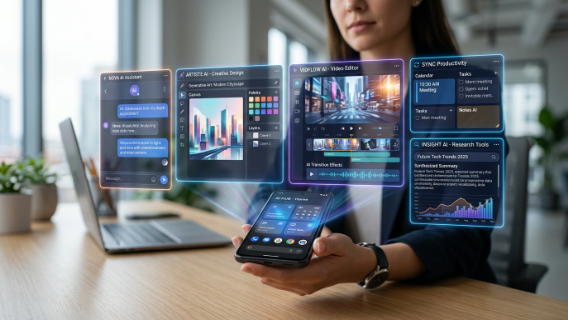
Artificial intelligence is no longer limited to desktop software or advanced platforms used by tech experts. Today, AI is available directly on your smartphone, making it easier than ever to use powerful tools anytime, anywhere.
AI apps are transforming how people work, communicate, create content, and manage daily tasks. From writing assistants and image generators to productivity tools and business automation apps, AI is now deeply integrated into mobile and desktop ecosystems.
In this article, we’ll explore the top AI apps worth using in 2026 and how they can improve your productivity, creativity, and efficiency in everyday life.
Why AI Apps Are Becoming Essential
AI apps are designed to simplify complex tasks and make advanced technology accessible to everyone. With just a few taps, users can generate content, edit images, automate tasks, and get instant answers.
Key Benefits of AI Apps
- Instant access to AI tools
- Increased productivity on the go
- Faster content creation
- Simplified workflows
- Better decision-making
- Automation of daily tasks
- Improved creativity
AI apps are becoming personal assistants that fit in your pocket.
1. ChatGPT App
The ChatGPT mobile app is one of the most widely used AI applications worldwide. It brings advanced conversational AI directly to smartphones.
Key Features
- Writing assistance
- Idea generation
- Research support
- Email drafting
- Learning help
Why It’s Worth Using
It acts as a personal AI assistant available 24/7, making it useful for both personal and professional tasks.
2. Google Gemini App
Google Gemini integrates AI into a powerful mobile assistant designed for productivity and research.
Key Features
- Smart search assistance
- Content generation
- Task support
- Integration with Google services
Why It’s Worth Using
It enhances productivity by combining AI with Google’s ecosystem.
3. Canva AI App
Canva AI allows users to create professional designs directly from their mobile devices.
Key Features
- AI image generation
- Social media design
- Presentation creation
- Video editing tools
Why It’s Worth Using
It enables non-designers to create high-quality visuals instantly.
4. Notion AI App
Notion AI is a powerful productivity and organization app with built-in artificial intelligence.
Key Features
- Task management
- Note organization
- AI writing assistance
- Project planning
Why It’s Worth Using
It keeps work and personal life organized in one place.
5. Grammarly App
Grammarly improves writing quality across emails, messages, and documents.
Key Features
- Grammar correction
- Tone detection
- Writing suggestions
- Clarity improvements
Why It’s Worth Using
It ensures professional communication on mobile devices.
6. Perplexity AI App
Perplexity AI is a research-focused app that provides accurate answers with sources.
Key Features
- Instant answers
- Reliable research
- Source citations
- Learning support
Why It’s Worth Using
It saves time by eliminating manual searching.
7. Microsoft Copilot App
Microsoft Copilot brings AI assistance into productivity and office tasks.
Key Features
- Document creation
- Email assistance
- Data analysis
- Task automation
Why It’s Worth Using
It integrates seamlessly with Microsoft tools used by professionals.
8. Midjourney (via platforms)
While Midjourney is primarily accessed through Discord or integrations, it remains one of the most powerful AI image generation tools.
Key Features
- AI art creation
- Creative visuals
- Design inspiration
- Marketing graphics
Why It’s Worth Using
It helps creators generate high-quality visuals from simple text prompts.
9. Otter AI App
Otter AI automatically records and transcribes meetings and conversations.
Key Features
- Live transcription
- Meeting summaries
- Searchable notes
- Collaboration tools
Why It’s Worth Using
It eliminates the need for manual note-taking.
10. CapCut AI App
CapCut uses AI to simplify video editing for mobile creators.
Key Features
- AI video editing
- Auto captions
- Templates
- Effects and enhancements
Why It’s Worth Using
It makes professional video editing accessible to everyone.
How AI Apps Improve Daily Life
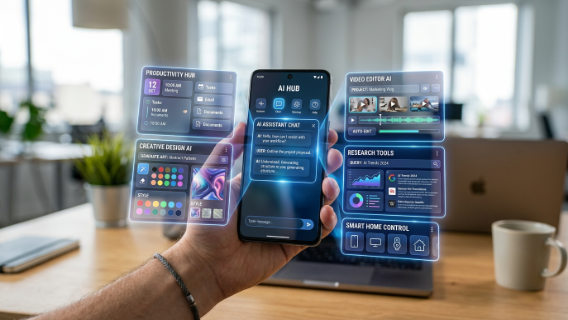
AI apps are not just for professionals—they are useful in everyday life as well.
Productivity
AI apps help manage tasks, schedules, and communication efficiently.
Creativity
Users can generate images, videos, and content instantly.
Learning
AI apps provide instant explanations and educational support.
Communication
AI improves writing quality and clarity in messages and emails.
Business
Entrepreneurs can automate marketing, customer support, and operations.
Best AI App Stack for Users
A balanced AI setup for most users:
- ChatGPT → General AI assistant
- Canva AI → Design and visuals
- Notion AI → Productivity and organization
- Grammarly → Writing improvement
- Perplexity AI → Research and learning
- CapCut AI → Video creation
This combination covers most personal and professional needs.
Common Mistakes When Using AI Apps
Relying on One App Only
Different apps serve different purposes.
Ignoring Privacy Settings
Always check how data is handled.
Not Learning Features
Many users only use basic features and miss advanced capabilities.
Overusing AI
AI should assist, not completely replace thinking.
Future of AI Apps
AI apps will become more intelligent, personalized, and integrated into daily life.
Future Trends
- Voice-controlled AI assistants
- Fully automated workflows
- Smart predictive suggestions
- Cross-app AI integration
- Real-time decision support
AI apps will become essential digital companions.
Conclusion
AI apps are rapidly changing how people interact with technology. From productivity and communication to creativity and learning, these tools are making life easier and more efficient.
Apps like ChatGPT, Google Gemini, Canva AI, Notion AI, Grammarly, Perplexity AI, Microsoft Copilot, Midjourney, Otter AI, and CapCut AI are leading this transformation.
By using the right AI apps, you can save time, boost productivity, and unlock new creative possibilities in both personal and professional life. The future is mobile, intelligent, and powered by AI.